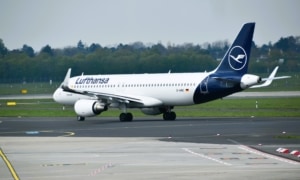
Scanning your boarding pass after every flight with a Lufthansa Group airline in the Uptrip mobile app allows you to collect digital cards to earn bonuses in the Miles & More loyalty program, free lounge access, upgrades, Frequent Traveller or Senator status and many other benefits. I’ll tell you how the Uptrip app works and give you some tips on how to get the most value of it.
What is Uptrip?
Uptrip is an official Lufthansa Group mobile application that rewards passengers of Air Dolomiti, Austrian Airlines, Brussels Airlines, Discover Airlines, Edelweiss, Eurowings, ITA Airways, Lufthansa, Lufthansa City Airlines and Swiss.
Like the sticker albums of our childhood, Uptrip lets you accumulate digital cards issued after each flight, and then arrange them in one of the available collections. Completing a collection entitles you to an associated gift.
Among the gifts offered are:
- bonus miles, Points and Qualifying points in the Miles & More loyalty program
- direct access to Miles & More Frequent Traveller and Senator status
- free perks like flight upgrades, airport lounge access, Wi-Fi on board…
- discounts on airline tickets
- physical products such as suitcases, amenity kits, models…
- deals from car rental companies, telcos, etc.
Uptrip adds fun to Miles & More and provides additional rewards to members.
Download and install Uptrip, referral bonus
The Uptrip app is available free of charge on Google Play for Android devices or on App Store for iOS devices.
When you first open the app, click on the “Create account” button, identify yourself with your Miles & More loyalty card and follow the Uptrip registration process.
Enter my referral code TH-0F98F9F4-22B8 during registration and you’ll automatically receive 3 cards that will get you closer and faster to a gift (only one card without the referral).
If you forgot to mention the referral code during registration, you have 7 days to recover your missing welcome cards by accessing the application settings (cogwheel at top right) then the “Refer a friend” menu then the “Enter referral code” tab.
How does Uptrip work?
Getting cards
After flying with a participating Lufthansa Group airline, simply scan the boarding pass into the Uptrip app or enter the booking code.
4 digital cards are then displayed, generally divided into 2 “City” cards (the departure and arrival cities of the flight), 1 “Airline” card (the airline operated the flight) and 1 “Airplane” card (the type of aircraft used for the flight). A “Special” card sometimes replaces a card of another kind.
You must select 2 cards from those presented. This choice is final, and the cards will be added to your Uptrip card portfolio.
The process must be repeated for each flight taken (2 flights for a round trip = 8 cards offered for 4 to be selected; 4 flights for a round trip with a stopover in each direction = 16 cards offered for 8 to be selected) in order to accumulate cards as you travel.
By purchasing a CO2 offset option before flight departure, a “Specific” #MakeChangeFly card is issued in addition to the two usual cards.
The Uptrip cards obtained have no expiry date, and can be kept for as long as necessary to complete a collection.
Complete a collection
Uptrip continually offers a choice of around fifteen collections. A different gift is associated with each collection, and is won when the collection is duly completed.
To complete a collection, you need to collect the required number of cards. Rules, varying from one collection to another, make it more or less difficult to complete depending on the reward at stake: a card type (City, Airline, Airplane, Special, Specific) may be imposed, as may a particular card (the Airplane card representing the Lufthansa Airbus A340-600, for example).
The deadline for completing a collection is sometimes tight: some collections have a completion cut-off date (it is no longer possible to continue the collection beyond the date indicated), while others have a capped gift quantity (it is impossible to continue the collection after a certain number of other members have completed the same collection).
It is possible at any time to assign or remove a card from a collection in progress, allowing you to freely change your target. If a collection disappears, the cards already assigned are not lost, and can be reallocated to another collection.
As soon as a collection is complete, the promised gift is awarded and the cards used are no longer available to fill another collection.
Exchanging cards with another member
Because it’s not always easy to obtain the cards specifically required to complete a collection, Uptrip allows the exchange of cards between members.
The marketplace in the app allows you:
- to view other users’ public exchange offers and accept closed offers (obtain a specific card in exchange for another specific card) or send a proposal to open offers (obtain a specific card in exchange for a proposed card)
- to publish an exchange offer to other users.
It is also possible to perform a private exchange between two users through the application.
Each member is free to set their own terms (exchange parity, cards exchanged) and to accept or refuse the proposals received. The transaction is billed at €1.99 to the accepting party, and the exchange takes place instantly after payment.
In addition, Uptrip cards can be minted as NFTs (non-fungible token) and freely transferred on the Polygon blockchain at a price determined by supply and demand.
Exchanged cards, whether in the Uptrip app or on the blockchain, are marked as “Non-Original”. Please note that some collections require a minimum number of “Original” cards, i.e. cards obtained from the member’s own flights and not via an exchange.
The Joker card
Uptrip sells a Joker card for €9.99, to be purchased within the application.
The Joker card can take the place of any card required to complete a collection. Only one Joker card can be used per collection.
The Joker card cannot be exchanged with a third party.
Optimization tips
Signing up to Uptrip through my referral (referral code TH-0F98F9F4-22B8 to enter during registration) immediately grants you three digital cards. Furthermore, you can retroactively get cards for 2 flights taken within the 6 months prior to registration by scanning the boarding passes kept, or by entering your booking code. A great opportunity to start with up to 7 cards in hand.
It’s important to check the current collections, define your goal, identify missing cards and then evaluate the cards offered following a flight before making a final choice.
Two Uptrip cards are enough to complete a first collection and receive 500 miles in the Miles & More frequent flyer program. Unless you need these few miles, I recommend keeping the first cards acquired to build up a collection offering a more advantageous gift.
According to Miles & More rules, you need to fly up to 33 intra-European flights in economy class in a calendar year to collect the Points required for Frequent Traveller status. With Uptrip, 50 cards are enough, i.e. 25 flights with no time constraints. This easyer path to Frequent Traveller status will suit some infrequent travelers. Frequent long-haul travelers and business class passengers will prefer collections giving them Points bonuses to accelerate the acquisition of the status.
Have you downloaded the Uptrip app to earn rewards after flying with a Lufthansa Group airline?